How to set up notifications on the TNT Sports app and get the latest sports news straight to your devices
By Marcus Foley
Updated 20/07/2026 at 08:53 GMT+1
React to this story
Here is how to get all the latest sports news, clips and highlights straight to your devices with the TNT Sports app. With premium rights including the UEFA Champions League, the Premier League, the Winter and Summer Olympics, the Gallagher PREM, the Tour de France and England cricket, a raft of stories are set to be written in 2026 and beyond - and we'll be right there to cover them.
Receive customised alerts for the latest sports news you care about
Image credit: TNT Sports
DOWNLOAD THE TNT APP
You can download the TNT Sports app, available on smartphones and tablets, to get breaking news alerts straight to your device.
HOW TO SET UP BREAKING NEWS ALERTS
After downloading the app, click on the icon in the top right of the screen to access 'My profile'.
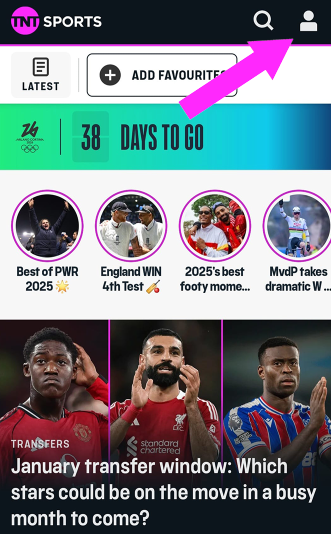
TNT Sports notifications process - step 1
Image credit: TNT Sports
If you don't have a profile already, set one up by hitting 'register', taking you to the below page.
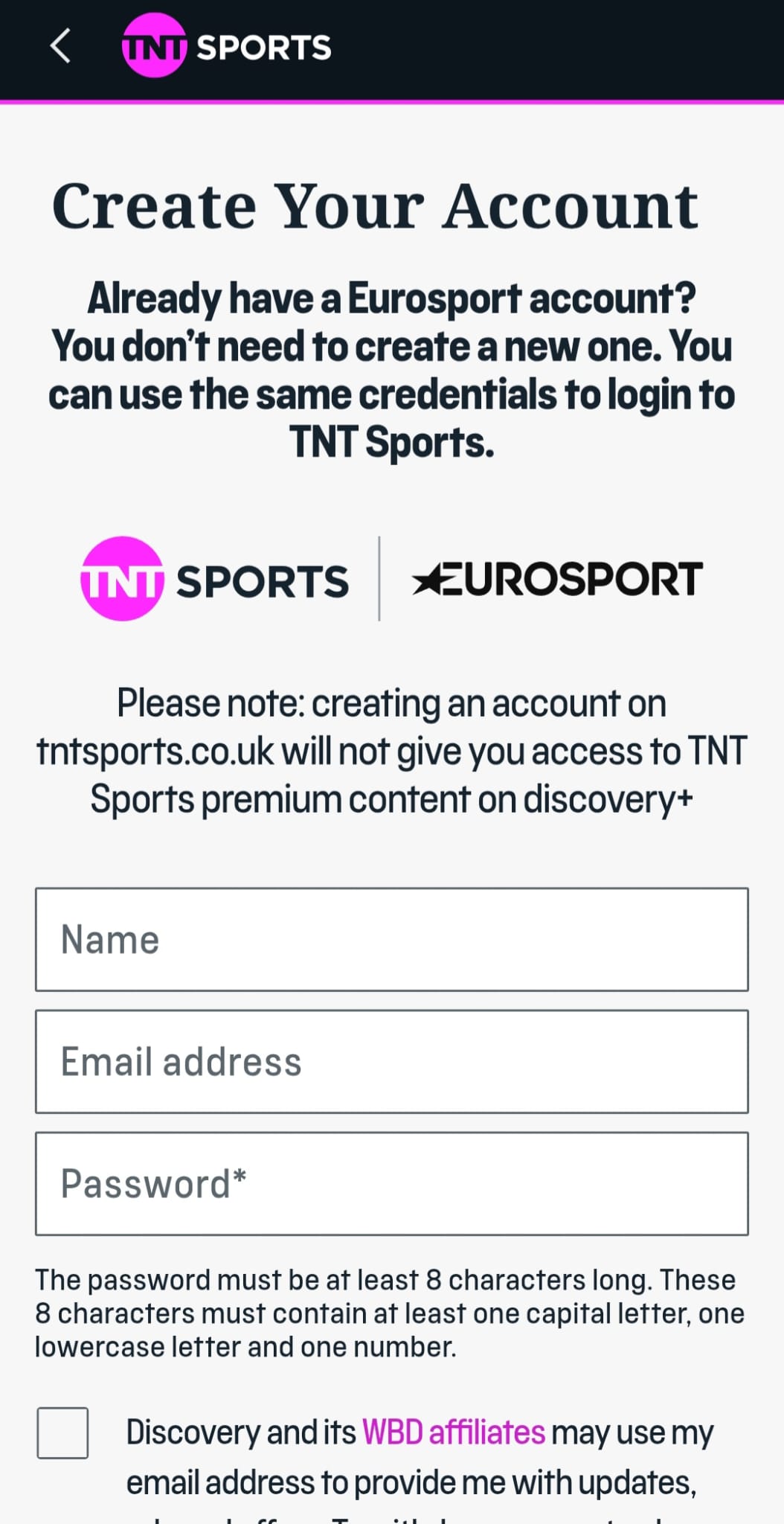
TNT Sports notifications process - step 2
Image credit: TNT Sports
Once you have created your account, navigate back to the profile area and click into the ‘notifications' section.
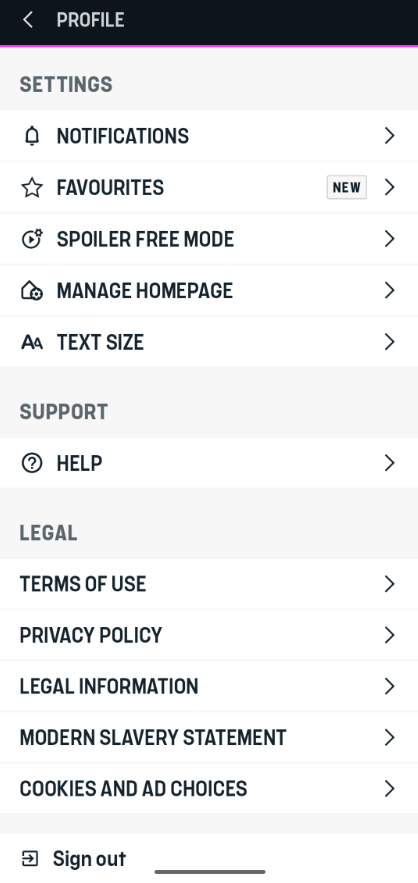
TNT Sports notifications process - step 3
Image credit: TNT Sports
Under ‘notifications’, you can turn on the ‘Breaking News’ bell icon (it will turn blue) to receive notifications for all major sports stories.
CAN I SET UP EVENT OR TEAM-SPECIFIC NOTIFICATIONS?
You can receive specific notifications from the sports, events, teams and individuals you care most about.
Under the 'suggested' banner will be a list of other sports you can subscribe to alerts for.
You can also search for more sports and sign up for those alerts by scrolling down and clicking on 'more notifications', which will bring up our full list of sports.
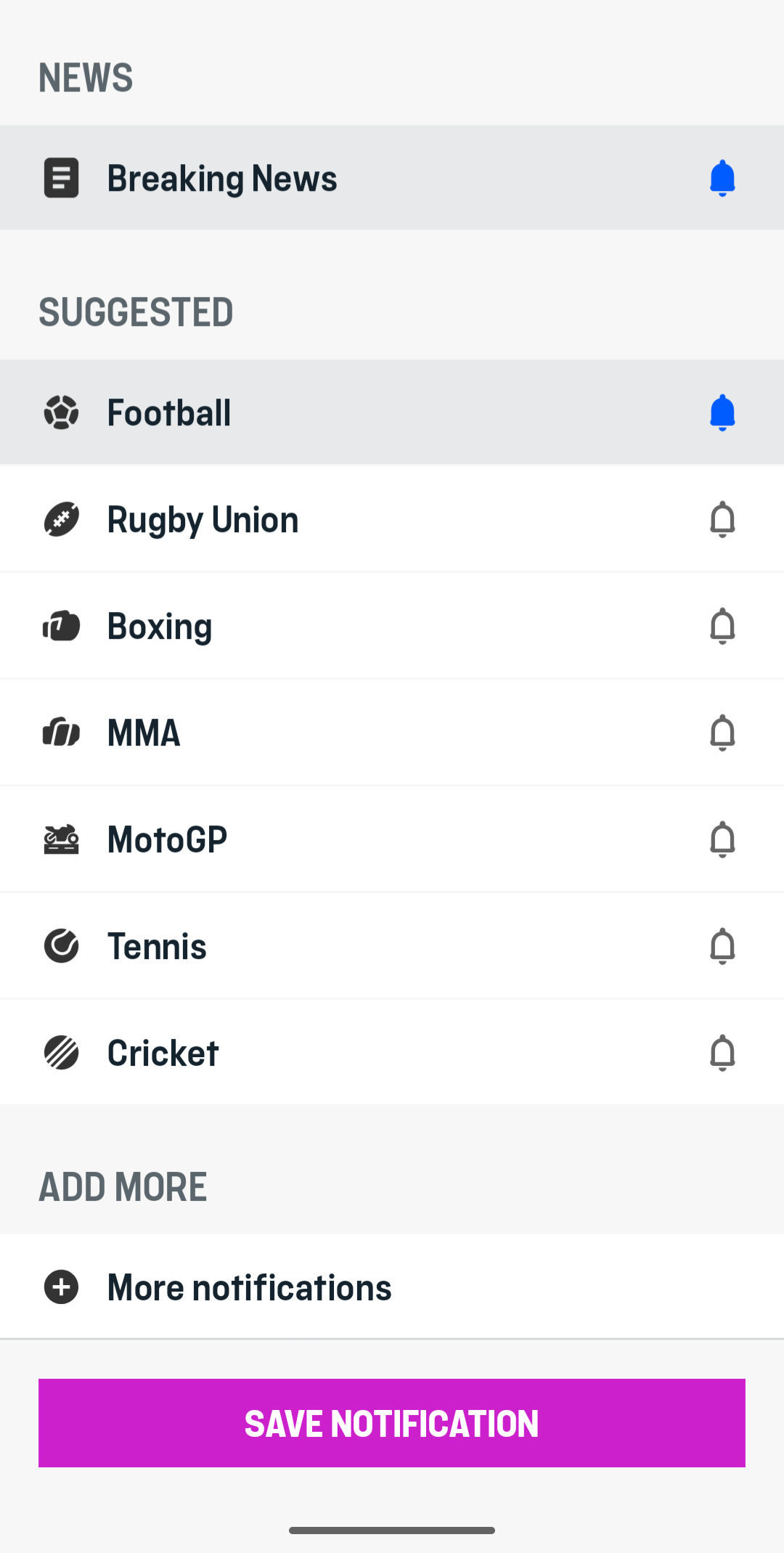
TNT Sports notifications process - step 4
Image credit: TNT Sports
To add an alert, simply hit the bell icon next to the sport/event/team/individual.
Watch highlights from your favourite sports
The TNT Sports app is also the place to watch free in-game clips and highlights from your favourite sports and events.
Highlights notifications will be among those sent to your device.
Related Topics
Advertisement
Advertisement